Swap an object for your product
Replace a product in a video with AI
Upload a clip you already have, add one to three images of your product and write which object to replace. The site sends all three to a video-editing model and asks it to make that change in your clip. Results vary, and a failed generation is refunded. Swapping or replacing an object in a video both mean this.
- Your own clip
- Plain-language instruction
- Priced per second
MP4 or MOV, 3 to 15 seconds, up to 100 MB, shorter side at least 320 px, longer side at most 2160 px.
You confirm this before every generation. The site does not scan the video, so what you upload is your responsibility.
Checking that generation is available.
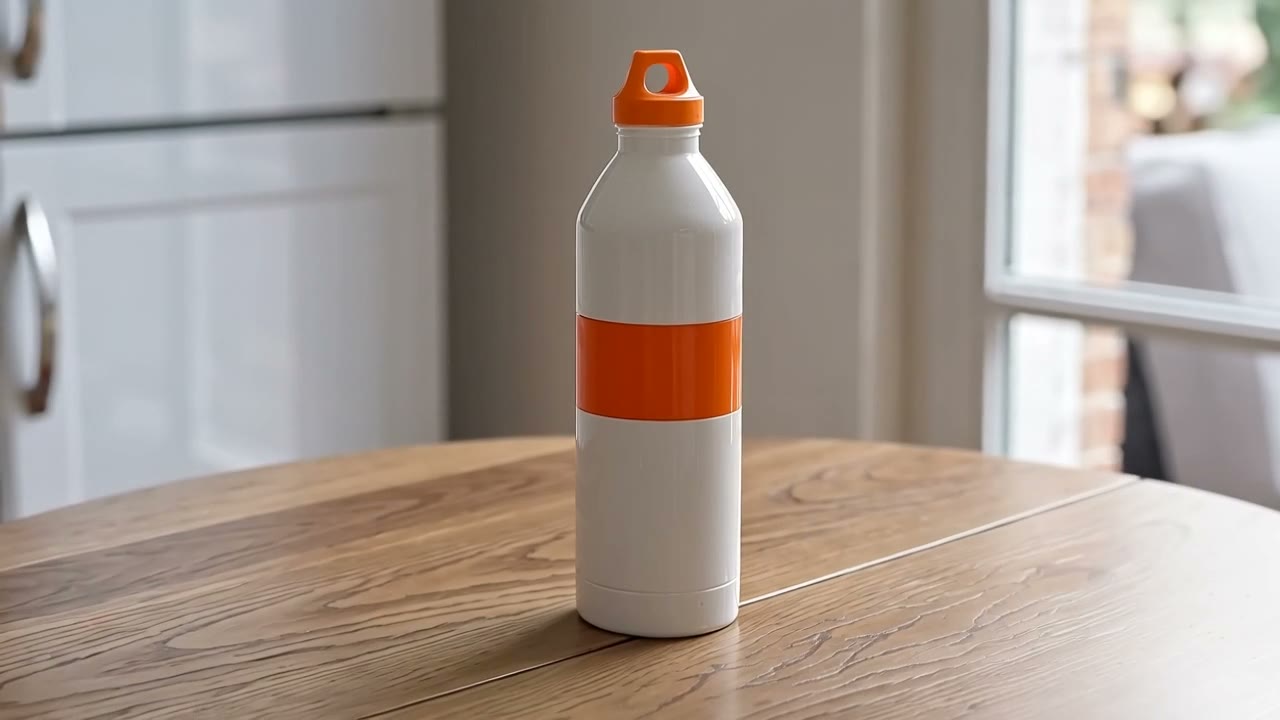
Green bottle swapped for a white one: Happy Horse Video Edit5s · 16:9 · 720p2026-10-11
01
How do you replace a product in a video with AI?
You upload the video, add one to three images of the new product and describe the swap in one sentence, for example "replace the bottle on the table with the product in the images". A video-editing model is asked to make that change and to return the clip. Clips run 3 to 15 seconds. The two edits recorded here are on the home page; they are one clip and one product, so they do not say how your swap will look.
- You give
- A clip, product images, one sentence
- Clip
- 3 to 15 seconds, MP4 or MOV
- Charged for
- Your clip’s length, rounded up
02
How to replace a product in a video here
Upload your clip
An MP4 or MOV, 3 to 15 seconds and up to 100 MB. The site reads the length from the file itself, so it is the figure you are charged for. A clip up to 0.5 s over 15 (phones often write 15.02) is taken and charged as 15; anything longer is refused, not trimmed. Kling O1 has no such allowance.
Add product images
One to three images of the product that should appear in the video. You do not need any special syntax: you refer to them as "the product in the images", and the site tells the model which image is which.
Say what to replace
Write one instruction in plain words, such as "replace the bottle on the table with the product in the images". Pick 720p or 1080p where the model has the choice, and whether to keep the clip’s original sound.
Check the price, confirm, generate
The credit cost is shown before you generate: your clip’s length rounded up to a whole second, times the model’s rate. Tick the box that says you may edit the video, then generate. If a generation fails the credits come back automatically.
03
Instructions to start from
Plain sentences you can edit. They have not been run on this site yet, so none is shown with a result. Use one to fill the instruction box above.
Swap one object
A bottle on a table
Replace the bottle on the table with the product in the images.
A mug on a desk
Swap the white mug on the desk for the product in the images and leave the rest of the scene as it is.
A box on a shelf
Replace the box on the shelf with the product in the images.
04
Tips for a clear instruction
Name the object and where it is
Say what is being replaced and where it sits in the shot: "the bottle on the table", not "the thing".
Say what to leave alone
If the rest of the scene should stay as it is, say so. We have not tested how well a model honours it.
Use clear product images
One to three images of the product. Happy Horse Video Edit asks for reference images of at least 300 pixels and up to 10 MB each; larger photos are scaled down in your browser before they are sent.
05
Replace-a-product questions
Can I replace more than one object?
You write one instruction, and you can name more than one change in it. We recorded only single swaps, so we cannot say how well a model handles several changes in one go.
Can I swap an object that is not a product?
The tool does not check what the object is. The images you add are the replacement, and the instruction says what it replaces.
Can I use footage of people?
No. You confirm before each generation that the video does not show identifiable real people and that you may edit it.
What does it cost?
Your clip’s length rounded up to a whole second times the model’s rate. The shortest edit is 126 credits; the exact figure is shown before you generate.
Replace the product in your clip
Upload a clip and your product images. The credit cost is shown before you generate.